
Devices as assets
Every PC, rig or laptop is tracked as an asset with explicit CPU and GPU roles.
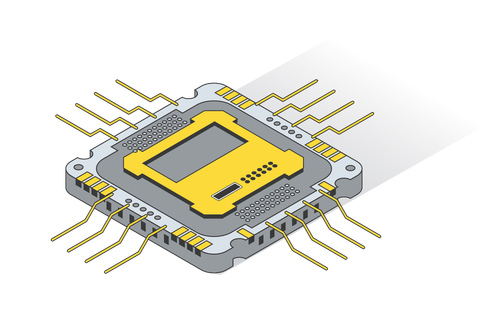
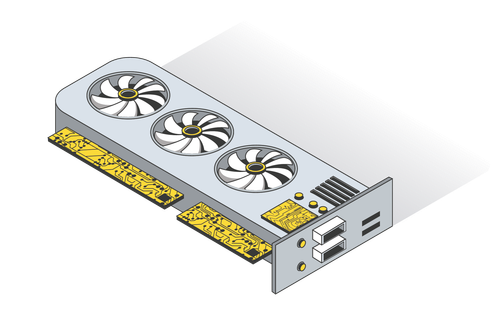
Universal miner with verified builds and auto profiles for CPU and GPU — keeping every algorithm and setting transparent and under your control from day one.
Mining returns depend on prices, difficulty and electricity costs.

Assets connect supported coins, CPU/GPU devices and tuned profiles — so every rig has a clear, verifiable setup.
Every PC, rig or laptop is tracked as an asset with explicit CPU and GPU roles.
Auto-tuned profiles bind to assets and coins, not to brittle config files.
Payout addresses, notes and tags stay attached to assets for transparent, auditable setups.
Try different coins, modes and power limits — the miner turns these inputs into real profiles, not promises.
Downloads
Every coin in the list is assigned to a tuned miner build — so you always know which binary you are actually running.
All downloads go to signed releases on GitHub. No bundled wallets or ads in the binaries.
Straight answers about hardware, OS, pools, safety and what PC Miner really does on your machine.
PC Miner is built for standard desktop hardware. You get the most benefit from a dedicated GPU and stable power supply, but it can also run CPU-only for some coins. The app does not require server-grade hardware — just a reasonably modern PC with enough cooling.
The miner registry focuses on common NVIDIA/AMD GPUs and modern multi-core CPUs. Exact VRAM requirements depend on the algorithm, but in practice:
PC Miner targets desktop environments with standard GPU drivers installed. If a specific miner binary supports your OS and driver stack, it can be wired into the registry. In practice that means:
Yes, but with trade-offs. Mining will always compete for GPU/CPU and power:
PC Miner’s job is to keep the miner predictable; how aggressive you go is your call.
PC Miner works with the wallets you already have. For each coin you configure:
Funds go from pool to your wallet directly — the app never holds them in between.
The app does not lock you to a single pool. For each profile you explicitly set:
PC Miner keeps these configs organized; the actual connection is always between the miner binary and the pool you chose.
Profiles and mappings are stored on disk, so a reboot does not “forget” your setup. In a typical configuration:
Estimates are just that — estimates. PC Miner combines:
Real results will always drift with network luck, pool luck and hardware stability. Use the numbers to compare setups, not as a guarantee.
All download links are meant to point to official miner releases (for example, GitHub or project sites). PC Miner does not bundle its own opaque installers on top of third-party miners.
You can always verify what you run by checking the release page, comparing hashes and reading the original changelog of that miner.
Locally, PC Miner stores:
Private keys and seed phrases are not needed and should stay in your wallet software, not in the miner.
The intended model is local-first: configuration and control live on your machine, and the main network traffic is between the miner and your pool. If you add any optional analytics or update checks, they should be clearly documented and disable-able from settings.
Many third-party miners include their own dev-fee periods. PC Miner does not change those internals; instead it should show which miner is used and link to its documentation, so you can see the fee rules clearly.
If a miner’s fee model is unacceptable, you can switch to another supported miner for that coin where the license terms fit you better.
Mining software is often flagged because it looks like the tools used in illegal “hidden miners”. Even clean binaries from public repos can trigger generic alerts.
Expect that you may need to whitelist the miner folder or files in your AV, but do it only after you personally verified the download source and checksums.
Updates should not silently rewrite your profiles. The common pattern is:
The coin registry and “coin → miner” mapping can be adjusted. If something becomes clearly unsafe or breaks:
To fully remove PC Miner you should:
Pools and wallets remain yours — nothing about them is “inside” the app.